Roblox is already one of the most versatile gaming platforms out there, offering millions of user-created experiences across every genre imaginable. But for players who spend hours grinding levels, hunting for rare items, or managing high-value trades, the default interface can start to feel a little limiting.
That is where RoPro comes in. Below, we break down exactly what RoPro is, how to install it, and how to make the most of its key features.
What is RoPro
Roblox users who take their gaming a bit more seriously will inevitably run into RoPro. It’s a free browser extension that, according to its official page, enhances the entire Roblox experience with a wide range of quality-of-life upgrades and extra features.
While it is not officially supported or affiliated with Roblox Inc., RoPro has built a solid reputation among both players and traders. From deeper server filters to advanced trading tools, it offers a more tailored and data-driven experience for those who want to go beyond the default platform layout.
And the best part is that getting started with it is fairly straightforward, as you will see below.
How to Install and Use RoPro
Before anything else, make sure you are using Google Chrome, Microsoft Edge, or another Chromium-based browser. RoPro was developed with that engine in mind, and performance is significantly more stable there. There is also a Firefox port available, but it is widely reported as unstable and prone to crashes. If you want the smoothest experience, sticking to a Chromium-based browser is the safest bet.
With that out of the way, here is the full step-by-step process.
Part 1: Installing RoPro
- Search for the Extension: Open your browser and search for “RoPro,” or head directly to the Chrome Web Store.
- Add to Browser: Select the official “RoPro – Enhance Your Roblox Experience” extension and click “Add to Chrome” (or the equivalent install button for your browser).
- Confirm Installation: When prompted, click “Add extension” to finalize the installation.
Part 2: Account Verification
- Once the extension is installed, you will need to link your Roblox account to unlock certain features. This step verifies your username and activates the full functionality of the extension.
- Navigate to Roblox: Go to the Roblox website. You should see a “Verify Ro User” prompt or dedicated page.
- Join the Verification Game: If direct OAuth linking is unavailable, choose the option to verify your account inside the game and click Play.
- Generate Code: Inside the “RoPro User Verification” experience, press the button to generate a verification code.
- Copy and Paste: Copy the temporary code shown in-game, return to the verification page in your browser, and paste the code to complete the process.
Part 3: How to Use Key Features
You can access RoPro’s settings by clicking the RoPro icon that appears in your Roblox sidebar or navigation menu.
Enhancing Gameplay
- Server Filters: On any game page, use advanced filters to find smaller servers, servers with open slots, or sort by best connection and lowest ping.
- Quick Play and Random Shuffle: Hover over a game thumbnail to use Quick Play for instant access, or select Random Shuffle to jump into a random server.
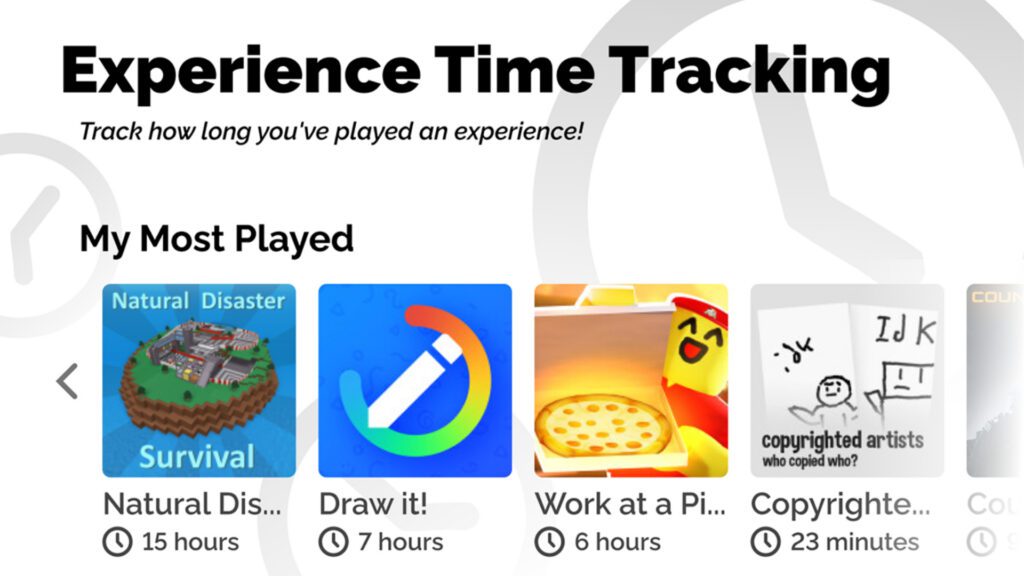
- Playtime Tracking: Your Roblox homepage will now display your most played games and track exactly how many hours you have spent in each experience.
Customizing Your Profile
- Profile Themes: Select “Edit Theme” within the RoPro menu to apply custom backgrounds and wallpapers. Keep in mind these themes are primarily visible to other RoPro users.
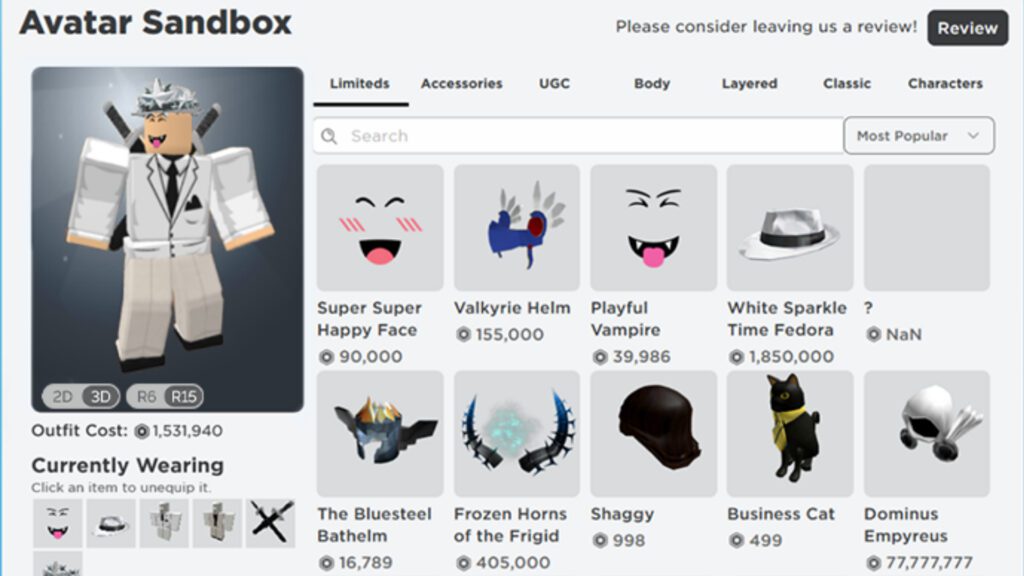
- Avatar Sandbox: Test any outfit combination in a virtual dressing room, even if you do not own the items. You can save your creations and revisit them later.
Trading Tools
- Trade Value Calculator: When initiating a trade, RoPro automatically calculates the value and demand of both sides using data pulled from Rolimons.
- Trade Notifier: Higher subscription tiers unlock desktop alerts for incoming trades, allowing you to respond quickly without constantly refreshing pages.
- Item Info Cards: Hover over limited items to view recent price changes, sales history, and warnings about projected items.
Does RoPro Cost Money?
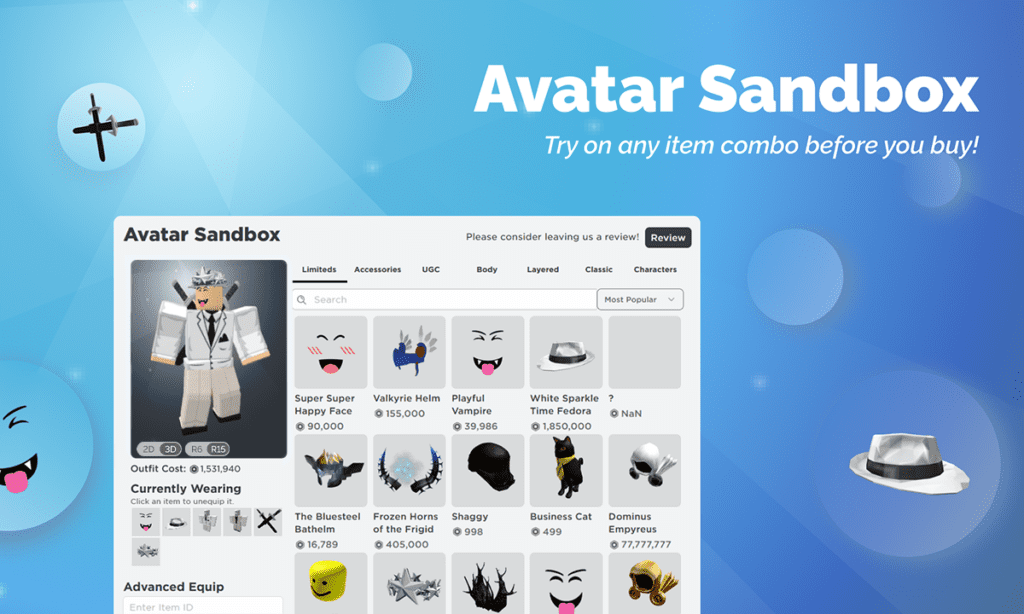
Yes and no. You can install RoPro and use a large portion of its features completely free. That includes playtime tracking, the Avatar Sandbox, and basic server filters. However, the developers also offer a subscription model that unlocks more advanced tools. Premium features must be paid with real-world currency through a credit card or another accepted payment method. Roblox gift cards or in-platform funds cannot be used for these subscriptions.
Here is a quick breakdown of the available tiers:
- Free Tier: Includes basic filters, Sandbox access, and profile themes.
- RoPro Plus ($3.99 per month): Adds detailed server ping information, live like and dislike counters, and access to the Trade Panel.
- RoPro Rex ($7.99 per month): Unlocks trade notifications, automatic decline for unfavorable trades, and account value tracking directly on profiles.
It is important to remember that RoPro is a third-party extension. Roblox Inc. is not involved in its development or maintenance. Because the Roblox platform is constantly updated, some RoPro features may change, break, or require adjustments over time.